
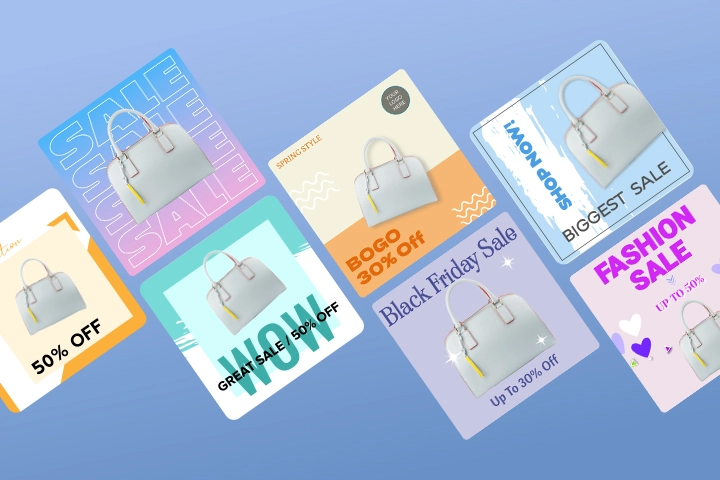
Creating professional flyer designs has never been easier. Thanks to the advancements in AI, you can use online AI flyer maker platforms which enable you to generate and edit flyers and posters within minutes. Moreover, you can use AI to generate layouts, suggest colours, or even remove image backgrounds – The world is your oyster.
In this blog post, we’ll go over the top 5 tools available for flyer generation online. We’ll compare price points, AI features, and suitability for different niches. We’ll also unpack tips for choosing the best platform based on your marketing goals.
1. PosterMyWall
Overview
PosterMyWall is a professional-grade all-in-one solution to all your marketing needs. Whether you’re looking to design posters, flyers, or email headers, this tool boasts more than 3 million ready-made flyer templates to make your job easier. It’s user-friendly, offers high-quality editing, and is created keeping marketers’ and small businesses’ design priorities in mind.
Pricing
- Free tier
- Premium: $9.95/month
- Premium Plus: $29.95/month
AI Features
- AI Redesign: Transform existing templates
- AI Video Subtitles: Generate captions for videos to enhance accessibility
- AI Social Media & Email Content: Create copies
- AI layout suggestions
- One-click resizing
- Team collaboration tools
- AI image generator
Pros and Cons
| Pros | Cons |
| ✅ Large library of flyer templates | ❌ Premium templates require a paid subscription |
| ✅ Drag-and-drop editor (user-friendly and beginner-friendly) | ❌ Limited options for advanced vector design or image editing |
| ✅ Built-in stock photo, video, asset, and graphic library | |
| ✅ Integrated marketing tools like social media scheduling |
Best For
- Event promotion
- Retail announcements
- Small businesses
- Marketing campaigns
- Beginners
2. Adobe Express
Overview
Formerly known as Adobe Spark, this tool is a simplified solution for those who want the reliability but not the complexity of the Adobe design ecosystem. Adobe Express offers sleek templates and a myriad of AI features which enable you to cut down on design time and costs. It also offers generative AI from Adobe Firefly and offers Creative Cloud integrations for creative and quick flyers.
Pricing
- Free tier
- Premium: $9.99/month per user
- If you buy Adobe’s Creative Cloud, you’ll get Premium Adobe Express with no added cost.
AI Features
- Commercially safe and licensed AI (for content authenticity)
- Generative Fill
- Text Prompt to Template
- Generative Text Effects
- AI Assistant
- Clip Maker
- One-click quick actions (removing backgrounds, resizing, converting formats, and merging videos)
Pros and Cons
| Pros | Cons |
| ✅ Reliable and simple Adobe ecosystem | ❌ Premium features require a paid subscription |
| ✅ High-quality and professionally-designed templates | ❌ Limited template library compared to other tools |
| ✅ Tools for typography customization |
Best For
- Content creators and bloggers
- Those already using Adobe products
- Creative corporate teams
- Marketers
3. Canva
Overview
Canva is a widely recognized design platform for any general-purpose marketing need you might have. Whether it’s presentations, flyers, social media posts, ads, or posters, you can create anything with its beginner-friendly drag-and-drop editor and simple user interface. Canva’s AI capacities are also abundant. It can generate fully editable and structured design components like text boxes and layers.
Pricing
- Free tier
- Canva Pro: $14.99/month per user
- Canva Teams: $29.99/month per user
AI Features
- Magic Layers: AI-generated image can be broken down into editable elements
- Magic Studio: Image and text generation
- Magic Switch: Automatically resize and reformat a design
- Brand-Aware AI: Instantly apply your branding colours, logos, and fonts to any design
- Beat Sync: Match video footage to the BPM of a music track
Pros and Cons
| Pros | Cons |
| ✅ Extremely beginner-friendly, offers intuitive navigation | ❌ Premium templates are locked behind a paywall |
| ✅ Robust design ecosystem | ❌ AI suggestions can feel generic or overused |
| ✅ Collaboration tools for in real-time editable and sharable designs |
Best For
- Complete beginners
- Social media managers
- Marketing teams
- Students and educators
- Small organizations
4. VistaCreate
Overview
If you’re looking for a user-friendly and minimalistic design tool that focuses on social media content, VistaCreate is a good fit for you. Formerly known as Crello, this platform has over 200,000+ templates for you to choose from and an extensive library of free and royalty-free assets that you can incorporate into your designs.
Pricing
- Free tier
- Pro: $13/month
AI Features
- Ethical and safe AI
- High-quality output options (3D, photorealistic, or various art styles)
- AI image generator
- AI background remover
- AI object remover
- In-app animated elements
- Direct-to-print options
Pros and Cons
| Pros | Cons |
| ✅ Options to animate your designs | ❌ Smaller and less industry-specific template library |
| ✅ Easy-to-use interface | ❌ Limited options for advanced editing |
| ✅ Social media-specific templates are plenty |
Best For
- Social media managers
- Content creators
- Lifestyle bloggers
- Travel vloggers
- YouTube marketing
5. Visme
Overview
Visme’s focus isn’t flyers, although it does offer that. This platform’s strength lies in creating interactive data visualizations, advanced infographics, professional presentations, charts, graphs, and tables. You can also use its expansive branding tools to keep everything looking cohesive and recognizable.
Pricing
- Free plan
- Starter: $12.25/month
- Pro: $24.75/month
- Enterprise: Custom pricing
- Annual billing pricing
AI Features
- AI Designer and Document Generation: Creates editable and branded graphics
- Context-Aware Content Reuse: Offers options like “Verbatim”, “Enhance” or “Rewrite”
- AI Brand Wizard: Applies brand fonts, colours, and logos to your design
- AI voiceover customization
- AI animation generator
Pros and Cons
| Pros | Cons |
| ✅ Specializes in professional and infographic-based marketing visuals | ❌ Steep learning curve |
| ✅ Strong tools for creating, designing, and editing presentations | ❌ Less focus on flyer templates |
Best For
- Corporate teams
- Educators and students
- Businesses that need to turn numbers into graphics
6 Tips for Choosing the Best Design Tool According to Your Marketing Needs and Goals
With so many options to choose from, picking a platform can feel overwhelming. Most of them enable you to create with AI but which features should you prioritise? Let’s unpack some important considerations to pay attention to before you sign up for a subscription.
1. Template Variety
Not all platforms offer the same type of templates. You need to look for a platform that offers a large library of templates with industry-specific and relevant themes. Make sure that the templates can be re-formatted or resized for social media.
2. AI Design Features
AI can help in automating and simplifying your design workflow. Look for basic functionality-boosting features such as an AI background remover or AI image generators to clean up images and insert new ones.
3. Image Editing Options
If you’re working with raw images and professional photography, pick a platform that supports lightweight image editing. Changing saturations, fixing low-resolution pictures, and adding blur are all important features to look out for.
4. Built-in Stock Assets
Sourcing royalty-free and non-watermarked visuals can be a tedious task. Choose a design platform which offers resources for vectors, stocks, icons, and photos. That way, you can access these elements directly within the editor.
5. Ease of Use
User-friendliness is an important point to consider. Ask yourself where you stand in terms of design skill level and pick a platform that feels easy-to-use, simple, and intuitive. Plus points such as pre-designed templates, drag-and-drop editor, and clear navigation are all significant to consider as a beginner.
6. Affordability Standpoint
Consider the platforms’ pricing model. We recommend starting off with a free tier and learning your way around the platform first. Look for free templates, pay-per-download options, and affordable monthly subscriptions. Make sure you’re researching each paid tier before investing in one so you’re only getting features you’ll use.


